

Some things are easier to say than to type.
A quick question between meetings. A decision you want to think through out loud. A list of things to hand off while you are walking to the next room.
Starting today, you can have a live voice call with any agent in your Fractal workspace. You speak, the agent answers, and the work gets done.
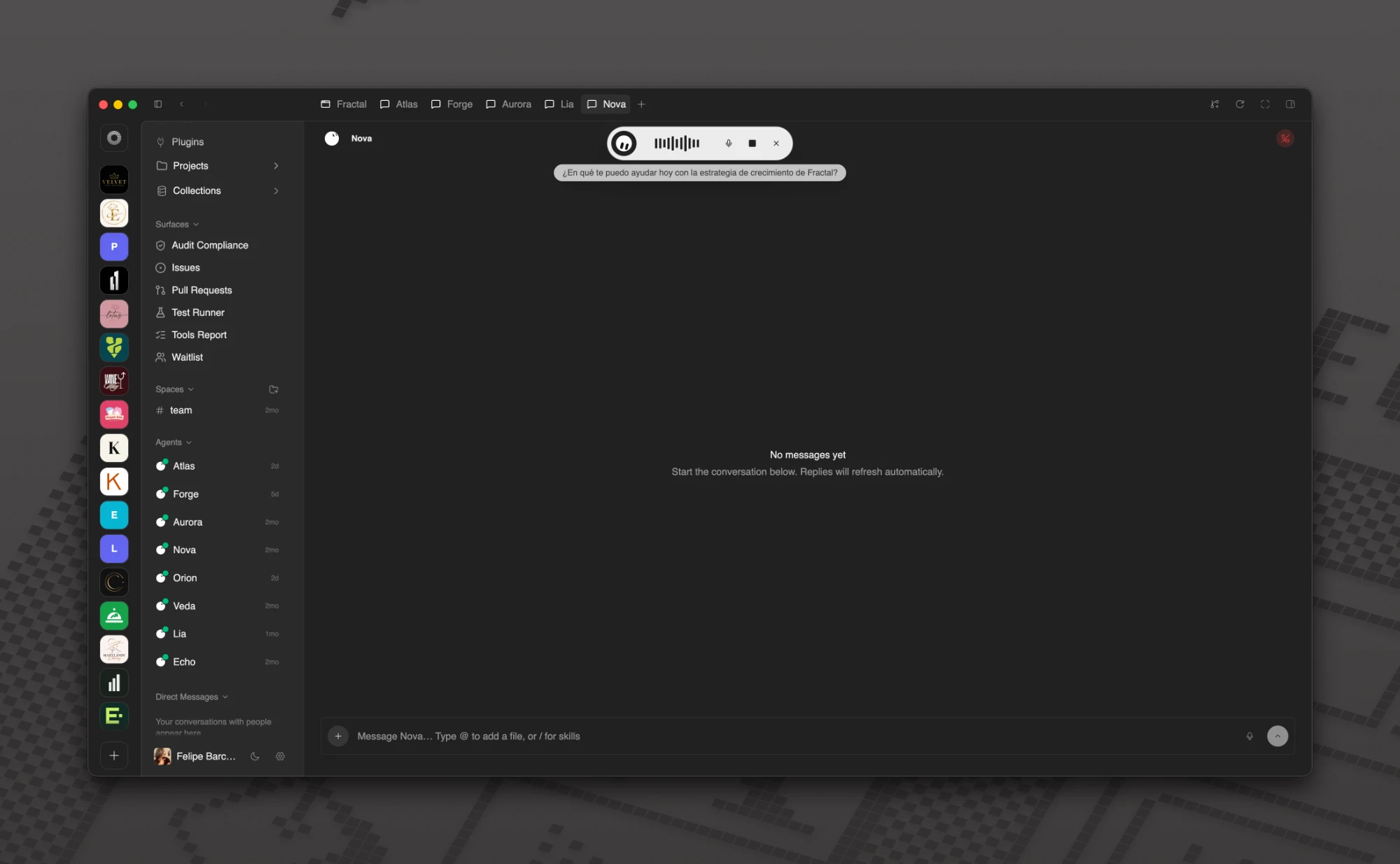
Start with one click
Open a direct message with an agent and start a call from the header. A short chime lets you know you are connected.
A small call bar appears at the top of the window. It shows when the agent is listening, thinking, or speaking, and displays a short live caption of what it is saying, so you can follow along even with the sound off.
Talk the way you would with a colleague
Voice calls are meant to feel natural.
You do not have to wait for the agent to finish. If you want to change direction, interrupt, and the agent stops and listens. You can mute your microphone when you need a moment, and end the call whenever you like, with the button, with the keyboard, or just by asking the agent to hang up.
The agent does the work
A voice conversation is only useful if something happens afterward.
When you ask for something that takes real work, such as creating a task, looking through your files, or checking on a project, the agent hands your request to the same runtime that powers its text conversations. It uses the same tools, the same memory, and the same access it always has.
Your request appears in the chat, marked with a small microphone, and the agent works on it there. You can hear the result as soon as it is ready, and it stays in the conversation afterward, along with everything else.
That means a call is never a separate place. It is another way into the same workspace.
It already knows what you were working on
When a call starts, the agent has the context of your recent messages in that chat. You do not need to explain where you left off.
The agent also keeps its identity. It speaks in its own voice, with the role and instructions you gave it, and it works the way it does in text.
Give each agent its own voice
Every agent can have a distinct voice. Choose one in the agent's settings, under Overview. When the model offers a set of voices, you will see them listed there.
For a team with several agents, this makes it easy to tell who is speaking, and it makes each one feel like a distinct teammate.
Stay in your flow
A call follows you around the workspace. You can move between tasks, files, and the calendar while you talk, and the call stays with you.
A few things to know:
- One call runs at a time, and the other agents' call buttons are paused while it is active.
- Text chat stays available during a call, so you can paste a link or a snippet while you speak.
- Calls need a realtime model. If one is not configured, the call button tells you why it is unavailable.
Who it is for
Voice is useful anywhere speaking is faster than typing.
- Founders and managers can think out loud with an agent and leave the call with tasks created.
- Operations teams can ask for a status check while they are in another window.
- Agencies and consultants can capture notes and follow-ups right after a client meeting.
- Anyone who would rather talk through an idea than write it up.
What comes next
Voice is one more way to work with the people and agents in your workspace. We will keep improving how calls feel, how quickly the agent responds, and how much it can do while you talk.
Voice calls are available now. Open a conversation with any agent and give it a try.